
By Bryan Esler
I’ve lived in my condo for four years now, and have one piece of artwork on the wall. And it’s not even a photograph—it’s a typographical print.
I finally decided it was time to make a change. Having been to Ireland this past summer, I decided to get a few of my favorite photographs printed. One was from the Rock of Cashel, a royal site of the Kings of Munster dating back to the 5th century. Taken with my Panasonic Lumix GH5 and Panasonic 7-14mm f/4 lens, I was lucky enough to capture a wide angle image with no people, and blue skies—two things that you rarely see in Ireland.
Using Luminar for final adjustments
In getting prepared for printing, there were few additional adjustments I wanted to make on my image.
First and foremost, I wanted to enhance the sky a bit. It seemed a bit blown out, preventing me from seeing some of the depth and detail in the clouds, but I knew Luminar 2018 could help.
Choosing the Landscape workspace, I went down to the Adjustable Gradient filter. In the Top portion of this, I decreased the exposure, while slightly increasing the contrast.
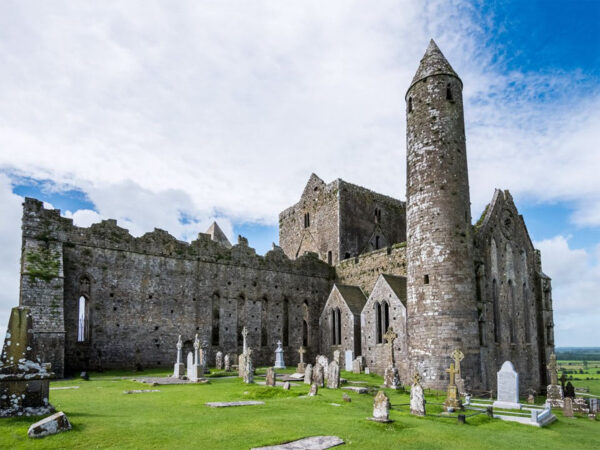
I also wanted to fix a few of the darker shadowed areas. To do this, I used Luminar’s Dodge and Burn filter and painted the elements I wanted to make a little brighter. This was a minor adjustment, but made the long wall of the ruin a bit brighter, especially underneath the left-most window.
There was also a grave marker in the lower left of the image that was just barely showing. I used the Luminar eraser tool to remove this, which sort of acts like a version of Photoshop’s Spot Healing Brush.
Finally, I wanted to remove a small bird that was visible on the building, so I painted that out as well.
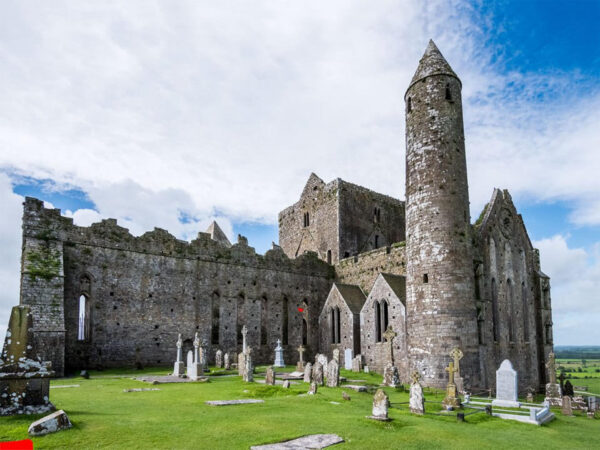
I made a few more adjustments, including boosting the Accent AI Filter, which helped to bring out the details of my image. I also used the Image Radiance brush to boost a few of the other shadows on the building.
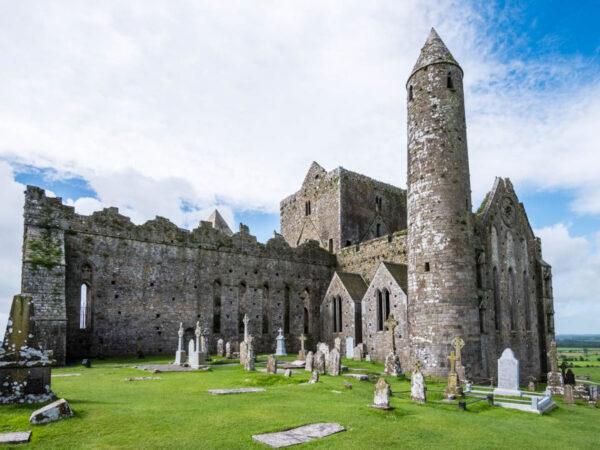
Prepared for print: TruLife® Acrylic
To get prepared to print, the final steps were simple. I first had to make sure I was happy with my crop. For me, this meant making sure I had a little bit of room around the edges in case anything was cut off.
Secondly, I exported my image in its original dimensions, with the sRGB color profile. Doing so will ensure that your colors don’t drastically change once they hit the printer.
The lab you chose to print through will establish the color profile instructions that you will use. Each lab will have their instructions for calibrating and supplying printer profiles.
The end result: print-ready!
While I’ve printed on metal in the past, TruLife Acrylic has much more of a “wow” factor.
I’m stunned at the detail and colors of this print. This 30×40 inch print will definitely be a showpiece in my living room!
One of my concerns with printing architecture—especially something that is so detailed as a 5th-century site—is whether the details would be sharp or not. Thanks to my “getting prepared to print” checklist, I’m happy to report that they’re sharp and clear, and I can make out the little intricacies that make this building so special.
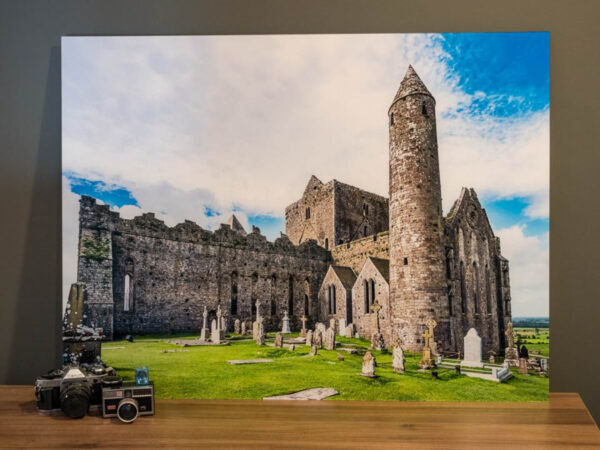
Having a dramatic piece like this not only allows you to show off your work in a stunning way, but it also inspires you to work on more prints! This year, I have one big resolution—to start filling my walls with the photographs I’ve taken over the years.
This photograph that I shot at the Rock of Cashel and decided to face mount with TruLife Acrylic is a great starting point! Now I just need to figure out where to hang it…
This article originally appeared on Photofocus.com.
Don’t forget to sign up for our newsletter so we can deliver recent blog posts, along with any TruLife product and program updates, right to your inbox.
About The Author(s)
Bryan Esler
Photographer
Bryan is a photographer specializing in capturing events, theatre, food/drink, and corporate moments. Based in Grand Rapids, Michigan, he has worked with clients such as CNBC, Michigan State University, ArtPrize, Steelcase, SpartanNash and more. His work has also been featured by Delta Airlines, NBC, Microsoft, LiveStrong, and Pure Michigan.
Learn more about Bryan at bryanesler.com.